System Health
Monitor your Mac’s overall health with a comprehensive health score and detailed system information.
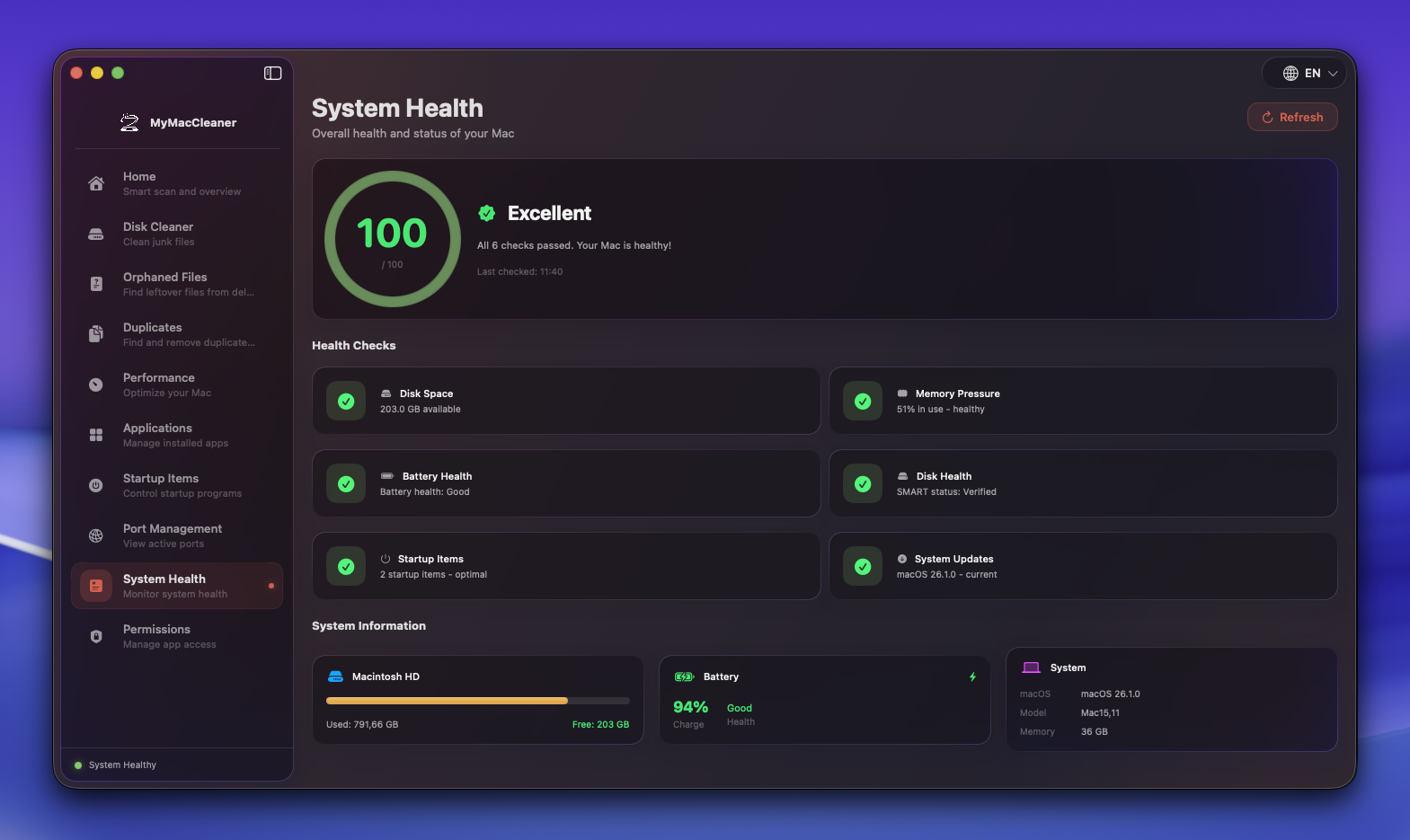 System Health dashboard showing health score gauge and system information
Overview
System Health provides an at-a-glance view of your Mac’s condition through a health score gauge, individual health checks, and detailed system information.
Health Score
Score Gauge
A circular gauge displays your overall health score from 0-100:
| Score Range | Status | Color |
|---|
| 80-100 | Excellent | Green |
| 60-79 | Good | Yellow |
| 40-59 | Fair | Orange |
| 0-39 | Needs Attention | Red |
Score Calculation
The health score considers multiple factors:
| Factor | Weight | Description |
|---|
| Disk Space | High | Available storage percentage |
| Memory Usage | Medium | RAM utilization |
| Startup Items | Medium | Number of login items |
| System Updates | Low | Pending macOS updates |
Health Checks
Individual cards show the status of each health component:
Disk Space
| Status | Condition |
|---|
| Healthy | More than 50GB free |
| Warning | 20-50GB free |
| Critical | Less than 20GB free |
Tip: Use Disk Cleaner to free up space.
Memory
| Status | Condition |
|---|
| Healthy | Below 80% usage |
| Warning | 80-90% usage |
| Critical | Above 90% usage |
Tip: Use Performance > Free Memory to release inactive RAM.
Startup Items
| Status | Condition |
|---|
| Healthy | Fewer than 10 items |
| Warning | 10-20 items |
| Critical | More than 20 items |
Tip: Use Startup Items to disable unnecessary login items.
System Updates
| Status | Condition |
|---|
| Healthy | System up to date |
| Warning | Updates available |
Tip: Keep your system updated for security and performance.
Hardware Info
| Property | Description |
|---|
| Mac Model | Hardware model identifier |
| Processor | CPU type and specs |
| Memory | Installed RAM |
| Serial Number | Hardware serial |
Storage Info
| Property | Description |
|---|
| Total Capacity | Drive size |
| Used Space | Space in use |
| Available | Free space |
| File System | APFS or HFS+ |
Battery Info (MacBooks)
| Property | Description |
|---|
| Cycle Count | Total charge cycles used |
| Condition | Normal, Service Recommended, etc. |
| Capacity | Current vs. design capacity |
| Charging | Current charging state |
macOS Info
| Property | Description |
|---|
| Version | macOS version number |
| Build | System build number |
| Uptime | Time since last restart |
Usage Tips
- Check regularly - Run a health check weekly
- Address warnings - Yellow items should be resolved soon
- Critical issues - Red items need immediate attention
- Battery health - MacBook users should monitor cycle count
- Keep updated - Install system updates promptly
Keyboard Shortcuts
| Shortcut | Action |
|---|
Cmd + R | Refresh health check |